Blog—September 18, 2025
Building CRMs that teams actually use
If the CRM fights how your team works, they won't use it. Full stop.
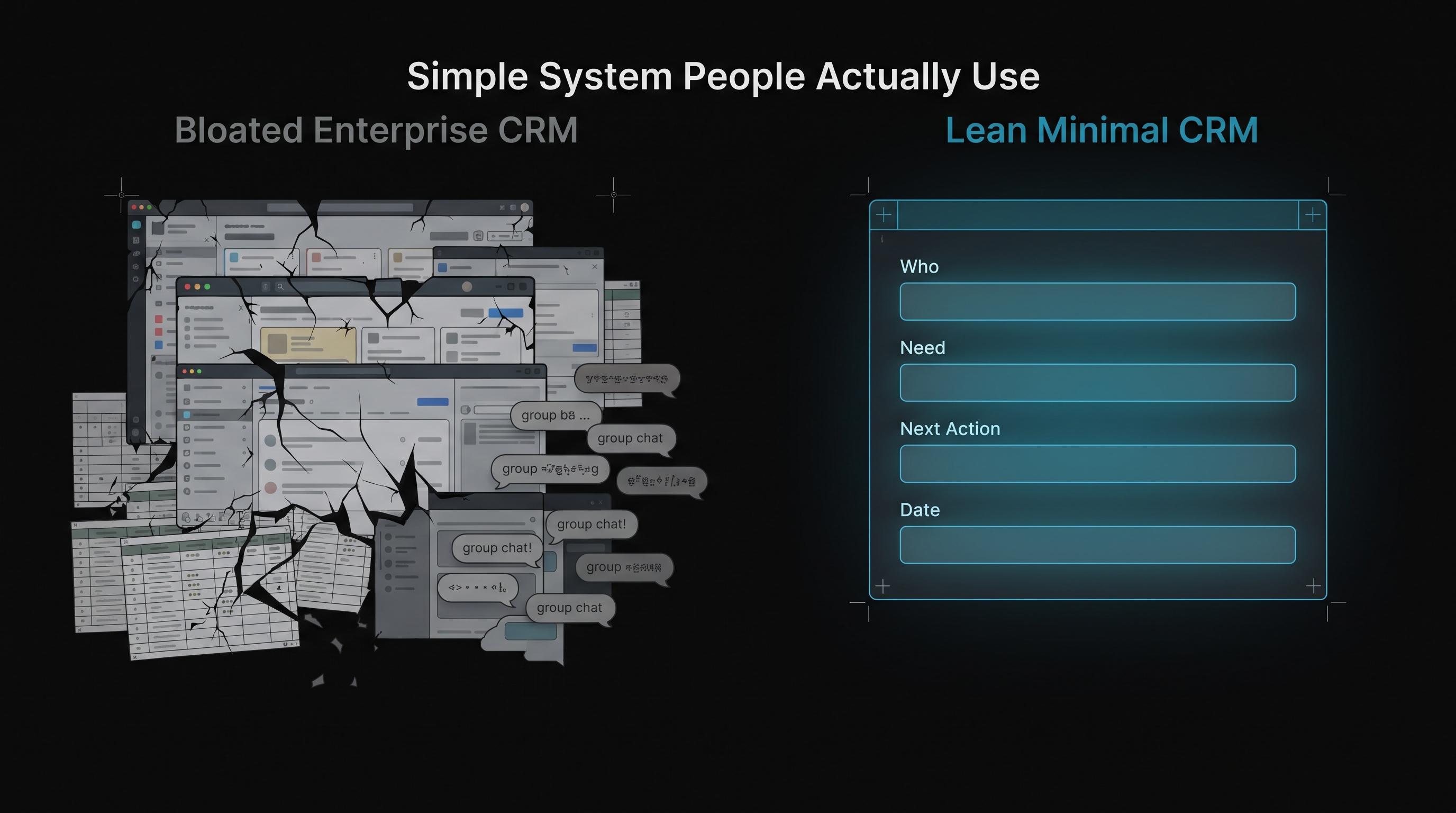
I've seen the same pattern a dozen times. A business buys or builds a CRM, runs training, sends out logins, and three months later the team is back on spreadsheets and group texts.
The CRM wasn't broken. It simply didn't match how the team actually works.
When the tool fights the workflow, the workflow wins.
Start with reality, not the textbook
Map what happens today before you define a single field. Ask:
- Who enters the lead?
- When does status change?
- What triggers a follow-up?
- Where do people already cheat the system because the official path feels too slow?
Build to that reality first. Tighten it later. Designing for an ideal process while the team runs on workarounds just produces shelfware.
The four fields that matter
Small teams need signal, not noise:
- Who is this? Name, contact, source
- What do they need? One plain-language line
- What's the next action? Call, quote, schedule, close
- When? A real date, not ASAP
Everything else stays optional until those four run without friction.
Less fields, more discipline
Every extra field is something someone has to keep updated. I follow a simple rule:
If nobody has used a field in 30 days, delete it or automate it.
Common mistakes I see in custom CRM builds:
- Twelve pipeline stages when the team only thinks in new, active, or done
- Required fields no one knows how to fill
- Duplicate entry from forms into the CRM
- No mobile path for people who live on their phones between jobs
A CRM with six fields that everyone uses beats one with sixty fields that everyone ignores.
Automate the boring parts
Let the CRM update itself when work happens elsewhere:
- Form submission → new record created
- Calendar booking → status moves to scheduled
- Invoice paid → job marked complete
- No reply in 72 hours → task created for a human follow-up
Tools like n8n sit between your existing stack and the CRM so the team keeps working the way they already do while the system catches up behind them.
The bar for "done"
A CRM is working when the team stops maintaining a parallel system in Notes, Excel, or a group chat.
Until then it is just shelfware with a monthly bill.
Signs you're actually there:
- New leads appear without anyone asking if they were entered
- Status numbers are accurate enough to trust on a Monday morning
- Handoffs happen without verbal briefings
- The owner is no longer the only person who knows where things stand
Build for the person who inherits it
Six months from now someone new will log in with no design-meeting context and zero patience for unclear fields.
Design for that person. Use plain labels. Write one-line instructions inside the tool. Keep the main path to three clicks or fewer.
Demos are easy. Adoption is the work.
If you're outgrowing spreadsheets and want a CRM your team will actually open, reach out. I build these for service businesses like HVAC, plumbing, legal, dental, and consulting, and I always start with how your team works today. Get in touch.